Tree of Savior: Neverland: A Guide to Redeeming Codes and Boosting Your Adventure
Dive into the captivating world of Tree of Savior: Neverland, a thrilling MMORPG boasting stunning visuals and an engaging storyline. Your quest to save Neverland demands significant time investment, resources, and in-game currency. Fortunately, redeeming Tree of Savior: Neverland codes offers a significant advantage, providing valuable rewards to accelerate your progress. Remember, these codes have expiration dates, so act quickly!
Updated January 14, 2025: Nine codes are currently active and verified. This guide will be updated regularly, so check back often for new codes and rewards.
Active Tree of Savior: Neverland Codes
- TOSNGIFT - Redeem for in-game rewards.
- TOSN30DYS - Redeem for in-game rewards.
- TOSNONEMONTH - Redeem for in-game rewards.
- LVVH-KXYM-BWPZ - Redeem for in-game rewards.
- HMKS-GG-PD-YFWZ - Redeem for in-game rewards.
- NBDL-WTGD-JRXE - Redeem for in-game rewards.
- CPMJ-UGTM-UPAS - Redeem for in-game rewards.
- TOSN888 - Redeem for in-game rewards.
- TOSN-ASIA - Redeem for in-game rewards.
Expired Codes:
Currently, there are no expired codes listed. Redeem the active codes immediately to secure your rewards.
Short on resources? These codes provide a substantial boost, offering useful and rare items. Don't miss out!
How to Redeem Codes
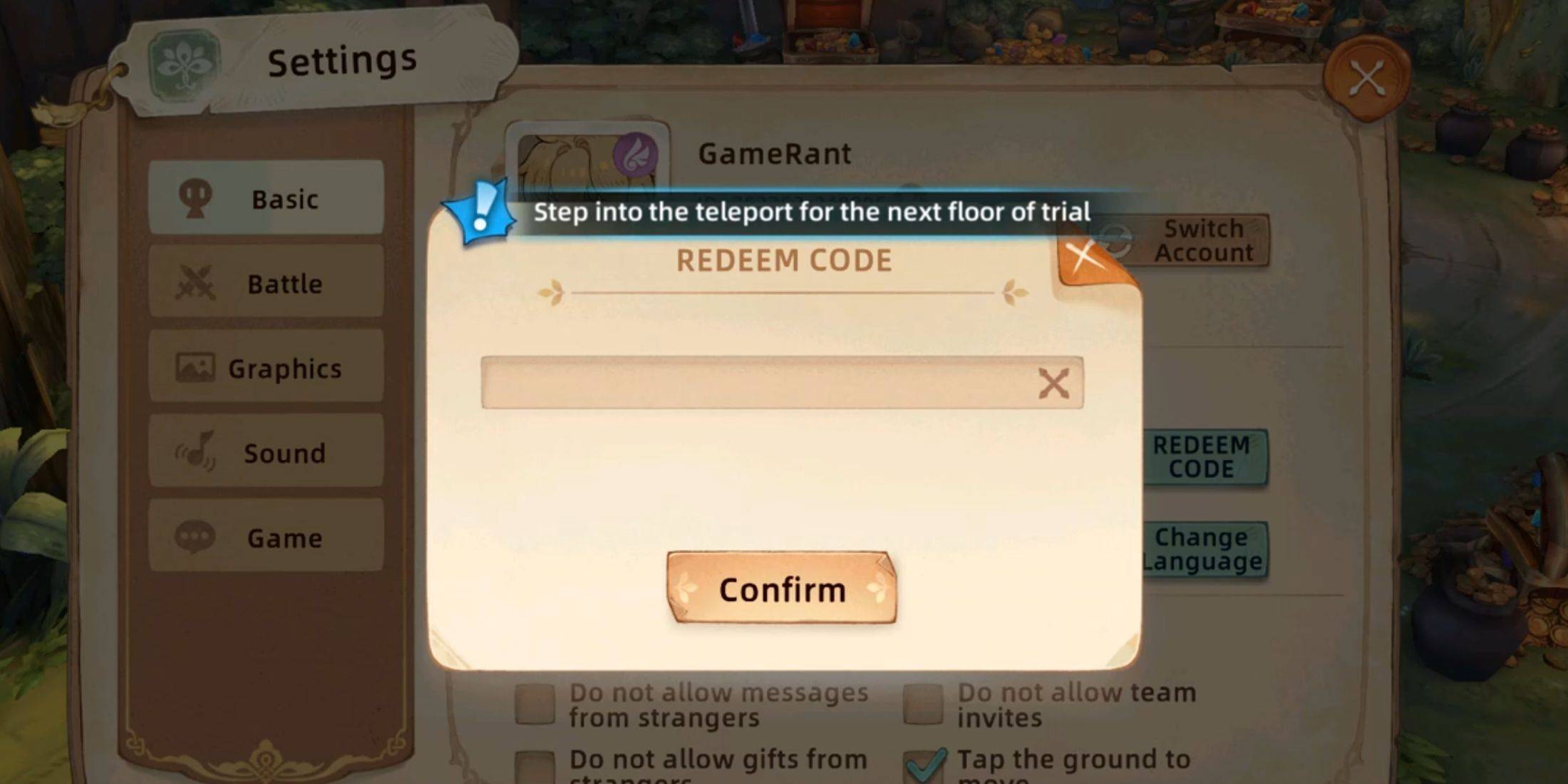
Redeeming codes is simple, requiring only a few steps. Note that you must reach level 16 before accessing the redemption feature (approximately one hour of gameplay). Follow these instructions:
- Launch Tree of Savior: Neverland.
- Click your avatar in the upper-left corner.
- Navigate to the "Settings" button (gear icon) in the lower-left corner of the Stats menu.
- Select the "Basic" tab.
- Locate the "Redeem Code" button within the Customer Service section.
- Enter an active code (copying and pasting is recommended) into the input field.
- Click the "Confirm" button.
A successful redemption will display a confirmation message, and the rewards will be added to your account.
Finding More Codes

Developers regularly release new codes via official social media channels. Stay updated by monitoring:
- The official Tree of Savior: Neverland Discord server.
- The official Tree of Savior: Neverland Facebook page.
Tree of Savior: Neverland is available on mobile devices.