Experience SteamVR's vast library on your PC with your PlayStation VR2 headset! While previously limited, Sony's $60 adapter unlocks this possibility, provided your PC meets the minimum requirements. However, setup isn't entirely plug-and-play. This guide provides a comprehensive walkthrough.
Essential Equipment:
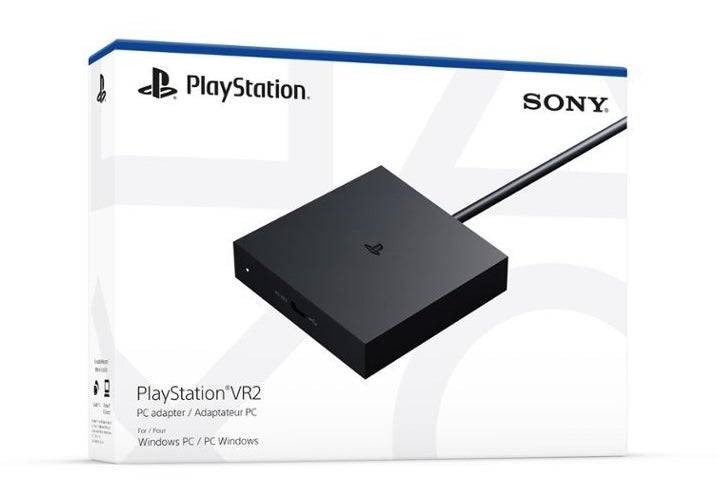
Before starting, ensure your PC meets Sony's PS VR2 PC Adapter preparation page specifications. You'll need:
- PlayStation VR2 headset
- PlayStation VR2 PC adapter (includes AC adapter and USB 3.0 Type-A cable)
- DisplayPort 1.4 cable (sold separately)
- Free USB 3.0 Type-A port (a powered external hub may work, despite Sony's warning)
- Bluetooth 4.0 capability (built-in or via adapter)
- Steam, SteamVR, and the PlayStation VR2 app (all installed on your PC)
- Two USB-C charging ports and cables for the Sense controllers (or the Sony charging station)
Step-by-Step Connection:
-
Install Software: Download and install Steam, SteamVR, and the PlayStation VR2 app via Steam.
-
Bluetooth Pairing: Enable Bluetooth on your PC. On each Sense controller, press and hold the PlayStation and Create buttons until the light blinks. Add them as Bluetooth devices in your PC's settings. If using an external Bluetooth adapter alongside a built-in one, disable the internal Bluetooth driver in Device Manager.
-
Adapter Setup: Connect the PS VR2 adapter to a USB 3.0 port, using a DisplayPort 1.4 cable to connect it to your GPU's DisplayPort. Connect the AC adapter to the power outlet. The adapter's indicator will turn solid red. Connect the PS VR2 headset to the adapter's USB-C port.
-
(Optional) Disable Hardware-accelerated GPU Scheduling: For newer GPUs (e.g., Nvidia RTX 40-series), disable this setting in Windows settings (Settings > System > Display > Graphics > Default graphics settings). Restart your PC.
-
Launch and Configure: Power on the PS VR2 headset. Launch SteamVR, setting it as your default OpenXR runtime. Open the PlayStation VR2 app to update controller firmware and configure your Play Area, IPD, and display distance.
-
Enjoy! Once setup is complete, start playing your SteamVR games.
Direct Connection (Without Adapter)?
Currently, a direct connection without the adapter is unreliable. While some reports suggest it's possible with certain 2018 GPUs featuring VirtualLink and the PlayStation VR2 app, this isn't consistently reliable. The adapter is the recommended and most reliable method.