Ragnarok Origin (ROO) reimagines the classic Ragnarok Online, delivering enhanced visuals, modern gameplay, and a vast world of adventure. Developed by Gravity, ROO faithfully retains the original MMORPG's charm while introducing stunning 3D graphics, smooth animations, and an immersive open world. Mac users, who often miss out on superior mobile MMORPGs, can now rejoice! BlueStacks Air lets you play Ragnarok Origin: ROO natively on your Mac, eliminating lag and crashes.
We tested it on a Macbook—results were surprisingly positive!
Experience Ragnarok Origin: ROO's Anime-Style on Your Mac
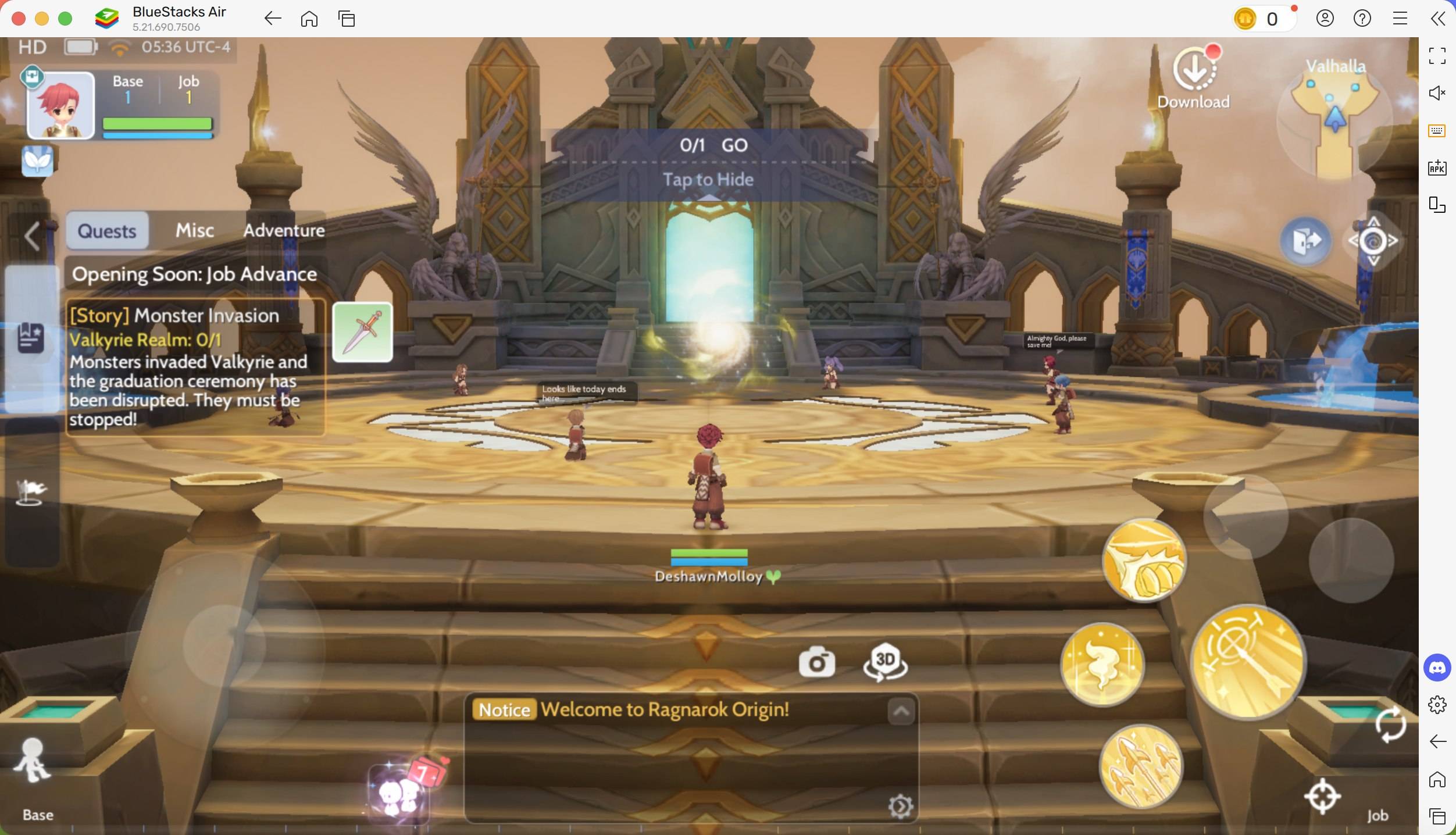
Playing Ragnarok Origin: ROO on a Mac offers a significant visual upgrade. Mac's Retina displays bring the game's vibrant colors and detailed textures to life, especially its anime-inspired art style. The game's diverse environments are richly detailed, and the Retina display enhances these visuals, showcasing vibrant colors, intricate character models, and fluid animations for a truly immersive experience. High-resolution support ensures crisp clarity.
Enjoy full-screen mode, eliminating the limited visibility of mobile devices. Maximize your Mac's larger screen while maintaining the optimal aspect ratio for crystal-clear visuals. Simply press Fn + F on your keyboard to switch. This larger field of view is particularly beneficial during combat, allowing for more precise aiming.
Precise Control with Keyboard and Mouse
One of the biggest frustrations of mobile MMORPGs is touch control. BlueStacks Air lets you customize controls for optimal gameplay. Use your keyboard and mouse for precise skill execution, dodging attacks, and seamless interaction with the game world. Mouse aiming significantly improves combat accuracy compared to touchscreens. Assigning hotkeys to abilities ensures faster reactions—crucial in Ragnarok Origin: ROO where loot depends on dungeon difficulty. BlueStacks offers complete keymapping customization, allowing you to tailor controls to your preference. Managing inventory is also far more convenient with drag-and-drop functionality.
Access pre-set controls by pressing SHIFT + TAB. You can easily modify these or create custom control schemes. For instance, instead of repeatedly tapping the mount button, assign a key for quicker travel—a huge time saver during quests.
Uninterrupted Gameplay
MMORPGs like Ragnarok Origin: ROO demand significant playtime, often involving extensive travel during quests and server events. Mobile gaming's battery limitations and interruptions are eliminated with a Mac. Avoid battery drain and overheating. Further, say goodbye to interruptions from calls, messages, and notifications. BlueStacks Air on Mac delivers an uninterrupted gaming experience, preventing disconnections during crucial moments like boss fights.
Installing Ragnarok Origin: ROO on BlueStacks Air
Setting up BlueStacks Air on your Mac is quick and easy. The entire process takes only a few minutes. Follow these steps:
- Download BlueStacks Air: Visit the game's page and click "Play Ragnarok Origin: ROO on MAC" to download the installer.
- Install BlueStacks Air: Double-click the BlueStacksInstaller.pkg file and follow the on-screen instructions.
- Launch and Sign-In: Open BlueStacks Air from your Launchpad or Applications folder and sign in with your Google account.
- Install Ragnarok Origin: ROO: Search for Ragnarok Origin: ROO in the Play Store and install it.
- Enjoy the Game! Launch the application and begin your adventure!
Playing Ragnarok Origin on a Mac with BlueStacks Air offers superior visuals, improved controls, and uninterrupted gameplay. The Mac's optimized performance, crisp Retina display, and seamless keyboard and mouse controls make it the ideal platform for the best Ragnarok Origin experience.