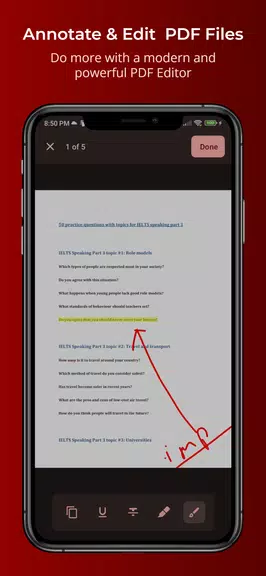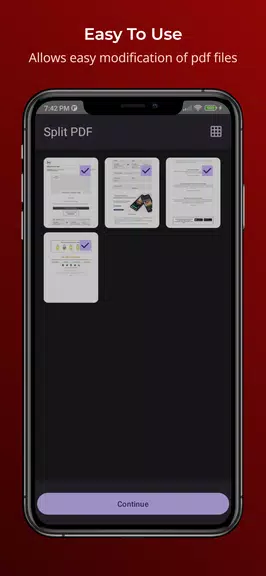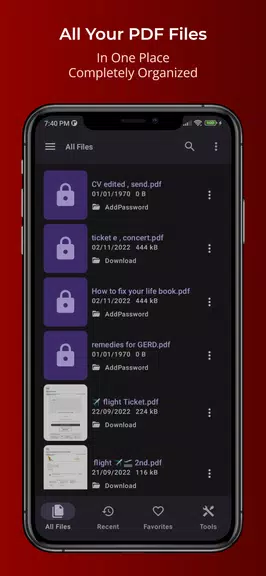

Effortlessly organize, annotate, and edit your PDFs with the PDFEditor - Read & Annotate app. Say goodbye to disorganized PDFs on your mobile device—this app keeps all your files neatly arranged in one convenient location. Quickly search through documents, share them across apps, split or merge PDFs, and reorder pages with ease. Bookmark favorite files, secure them with password protection, and instantly access recently opened documents. With tools for freehand drawing, text selection, highlighting, and more, you can customize each PDF just the way you want. Explore multiple view modes, search inside documents, toggle night mode, and save changes without complications.
Key Features of PDFEditor - Read & Annotate:
* Centralize all PDF files in one organized space
* Effortlessly share, split, merge, and rearrange pages
* Edit with drawing tools, text selection, highlighting, and annotations
* Secure files with lock and unlock options
Helpful User Tips:
* Save frequently used PDFs as favorites for instant access
* Check the recent files section to quickly resume work
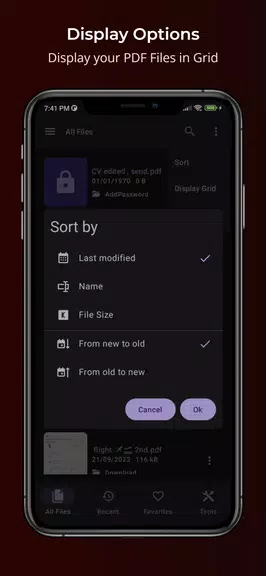
* Switch between grid and list views for better navigation
* Use the search tool to locate specific content within documents
* Activate night mode for comfortable reading in dim lighting
Final Thoughts:
Thanks to its intuitive design, powerful editing tools, and smart organization features, PDFEditor - Read & Annotate is the top choice for handling PDFs. Ideal for students, professionals, or anyone seeking better document management, this app delivers seamless PDF handling. Get PDFEditor - Read & Annotate today and transform how you interact with your PDF files.