Welcome to PDFelement - PDF Editor & Reader. Revolutionize your PDF experience with a cutting-edge AI PDF editor, reader, scanner, and converter that takes PDF functionality to the next level. With AI technology at your fingertips, you can chat with your PDF for instant answers, summarize content, proofread, and even rewrite text for improved accuracy. Edit your PDFs like Word documents, enjoy a professional reading experience with Liquid Mode, and access a library of over 8,800 original English books. Scan and OCR documents with ease, convert PDFs to various formats, annotate, create, compress, merge, fill and sign forms, store, and share your PDFs securely. Upgrade to premium for unlimited AI features and enhance your productivity today!
Features of PDFelement - PDF Editor & Reader:
AI PDF Features
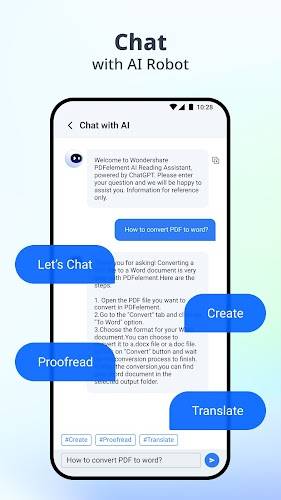
PDFelement AI PDF Editor offers a range of AI-powered features that take your PDF experience to the next level. Chat with PDF/AI allows you to ask questions and receive instant, accurate answers from the PDF. The AI PDF Summarizer can condense lengthy PDFs into key points, generate abstracts, and extract keywords. AI PDF Rewriting helps improve the accuracy of your PDF content by proofreading and correcting errors in grammar, spelling, and word choice.
Edit PDF Like Word
With PDFelement, editing PDFs is as easy as editing a Word document. You can edit text and images directly with ultimate convenience. The font editing feature allows you to erase easily, quickly navigate, and adjust the font size and spacing.
Professional PDF Reader
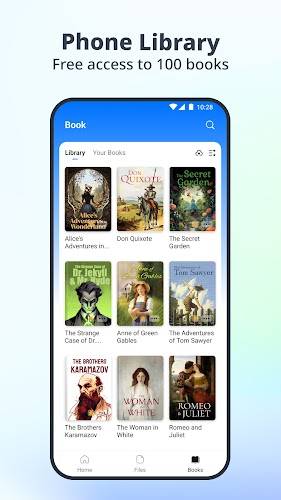
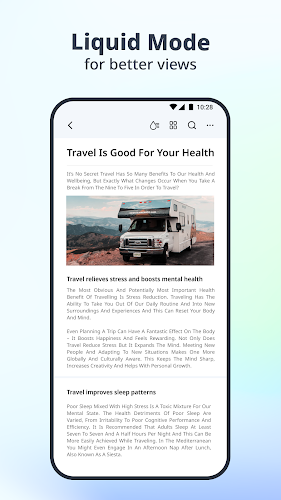
The Liquid Mode feature ensures the best PDF reading experience by readjusting PDFs to fit your screen. Navigate PDFs intuitively with Bookmarks for a seamless reading experience. Gain access to a library of over 8,800 original English books and listen to PDFs with your preferred reading range, voice, speed, and volume with the read-aloud feature.
Scan and OCR
Easily scan and digitize paper documents using the built-in scanner. The OCR feature recognizes and extracts text from images or PDFs for later searching and editing. You can scan multiple pages into one document with just a few taps.
PDF Converter
Convert PDFs to various document formats such as Microsoft Word, Excel, PPT, text, HWP, and more. You can also convert PDFs to images like JPG, PNG, TIFF, BMP, and GIF in high resolution. Create PDFs from different document types, including Microsoft Office files and images.
Annotate PDF
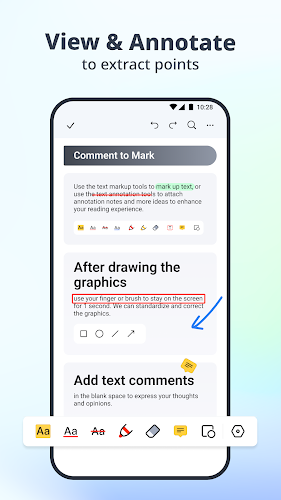
Add annotations to PDFs with options like text, sticky notes, corrections, shapes, arrows, and more. Highlight text for better study outcomes and make comments stand out with popular styles.
CREATE INCREDIBLE PDFs WITH PDFELEMENT
Tips for Users:
- Take advantage of the AI features like Chat with PDF/AI and AI PDF Summarizer to enhance your productivity.
- Explore the editing capabilities to customize your PDFs like never before.
- Use the professional PDF reader features to optimize your reading experience.
- Make use of the scanning and OCR functionality for seamless document digitization.
- Convert PDFs to different formats effortlessly and efficiently.
Conclusion:
With PDFelement - PDF Editor & Reader, you can unlock new possibilities in PDF editing, reading, scanning, and converting. Experience the convenience and efficiency of AI-powered features that streamline your PDF workflow. Maximize your productivity with advanced tools and functionalities that make PDF management a breeze. Download PDFelement now and embark on a smarter PDF solution journey.