
Want to know what your child does on their school device? With the GoGuardian Parent App, you can monitor the websites, apps, and extensions they use. You can see when teachers lock the screen or close tabs and use this information for more meaningful talks about their online time. Take control of home internet access on school devices to create a safer, more focused digital space. Plus, view full browsing details and even block specific sites outside school hours. Stay connected and engaged with your child's online world through the GoGuardian Parent App.
GoGuardian Parent App Features:
1. Online Activity Insights
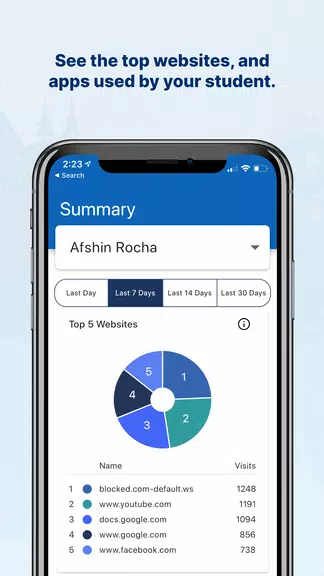
See a snapshot of the top five websites your child visits on their school device. This helps you understand what content they're engaging with and opens the door to conversations about safe browsing.
2. App & Extension Monitoring
Get details on the top five apps and extensions your student uses. This visibility helps you ensure they’re using tools that support their learning in appropriate ways.
3. Teacher Intervention Overview
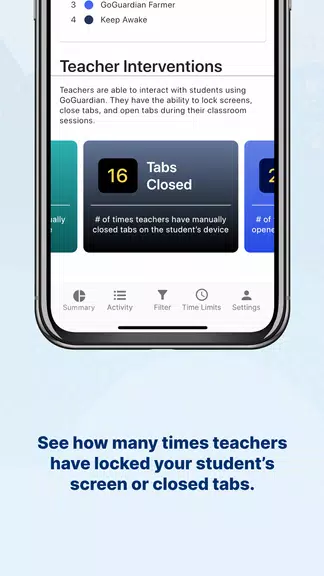
Check how often your child’s teacher has locked their screen or closed browser tabs during class. This provides insight into classroom engagement and helps you understand their focus during lessons.
4. Detailed Browsing History
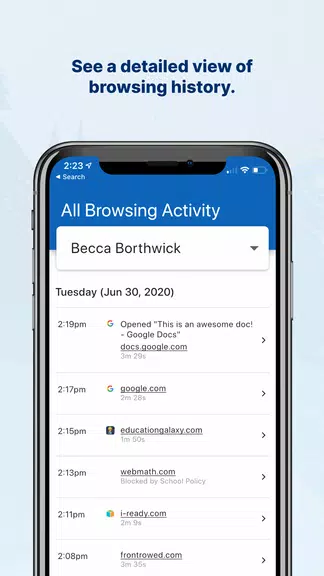
Access an in-depth log of your child’s online activities. This comprehensive history helps you spot patterns, guide internet safety discussions, and encourage responsible habits.
5. Flexible Time Periods
Choose custom time frames to view activity data, making it simple to observe changes in behavior over days or weeks. This adaptable monitoring meets your family’s specific needs.
6. Website Blocking
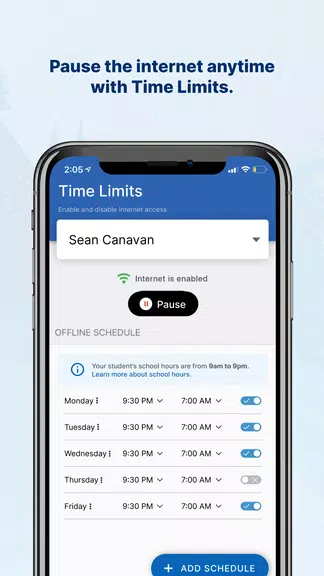
Block unwanted websites on school devices during non‑school hours. This puts you in charge of their after‑school screen time and encourages healthier digital routines.
Tips for Users:
⭐ Use the app’s insights to start open, positive conversations with your child about their digital life. This builds trust and encourages safer tech use.
⭐ Set boundaries on certain websites or apps to help your child stay focused on schoolwork during study times.
⭐ Check the app data regularly to stay aware of your child's online behavior and address questions or concerns early.
⭐ Apply internet controls outside school hours to balance screen time and foster healthier tech habits at home.
Conclusion:
The GoGuardian Parent App keeps you informed and connected to your child’s digital learning. By using its features and following these tips, you can create a secure and positive online space. Take an active role in shaping their technology experience and promoting mindful habits. Download the app today and start managing your child’s school devices with confidence and ease.