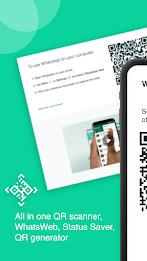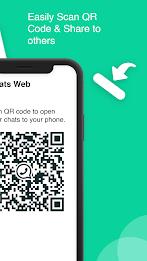
Introducing WhatsWeb WhatScan QR Generate, the ultimate QR and Barcode scanner app designed to provide a seamless and lag-free experience. This versatile tool allows you to effortlessly scan a wide variety of codes, including those for email, products, text, locations, contacts, URLs, and calendars. The app's standout feature is its ability to automatically sync and update all your chats from the linked Whatsweb app, enabling you to read and reply to messages conveniently.
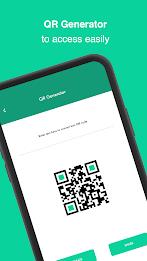
With WhatsWeb WhatScan QR Generate, you can also generate personalized QR codes that include detailed information about yourself, such as your name, job title, contact details, personal website, and address. This feature is perfect for personal use and extends to creating customized QR codes for your business or agency, offering a unique way to share your information.
The app offers an array of additional features to enhance your experience:
- Direct Messaging: Connect with contacts without saving their numbers. Simply enter the sender's number and start chatting.
- Status Saver: Save your favorite WhatsApp statuses directly to your phone and access them easily within the app.
- Barcode Scanner and Generator: Quickly scan product barcodes to get instant information on medication, grocery items, pricing, and quality assurance. You can also create barcodes for various purposes and share them effortlessly.
- History Section: Keep track of all your generated codes in one convenient location.
To start using WhatsWeb WhatScan QR Generate, download it from the Play Store, open the app, grant the necessary permissions, and press the button to scan the QR code from another phone via WhatsApp Web. This user-friendly app allows you to access one WhatsApp account across multiple devices effortlessly.
Please note that WhatScan is not an official application of WhatsApp and is not affiliated with WhatsApp Inc. We value your feedback, so if you find this app helpful, please leave your comments. Thank you!
Features of WhatsWeb WhatScan QR Generate:
QR & Bar Code Scanner: Scan any type of QR and Bar codes quickly without any latency. Get detailed information about various formats such as email, product, text, location, contact, URL, calendar, and more.
Chat Sync: Automatically update and sync all your chats from the linked Whatsweb app. Read and reply to messages conveniently using the Whatsweb Scanner.
Personalized QR Codes: Generate a QR code for yourself with detailed information like your name, job title, contact details, personal website, and address. Stand out by creating customized QR codes for your own business or agency/company.
Direct Messaging: Use the Direct Message feature to chat with your contacts without the need to save their numbers. Easily connect with others by simply entering the sender's number and sending a message.
Status Saver: Save WhatsApp statuses that you like directly to your phone. Browse through the saved statuses within the app for easy access.
Barcode Scanner and Generator: Scan barcodes of products, links, and more for instant information on medication, grocery items, pricing, and quality assurance. Create barcodes for email, product, text, location, contact, URL, calendar, and other purposes, and share them with others.
Conclusion:
WhatScan is a versatile app that offers a range of features to enhance your WhatsApp experience. Easily scan and generate QR codes and barcodes, sync chats, save statuses, and engage in direct messaging without the hassle of saving contacts. With its user-friendly interface and seamless functionality, the app is a must-have tool for anyone looking to simplify their WhatsApp usage. Download now and enjoy the convenience and efficiency that this app has to offer.